
Create Gary Vee Style Videos For Social Media // What To Do and HOW to Do It!
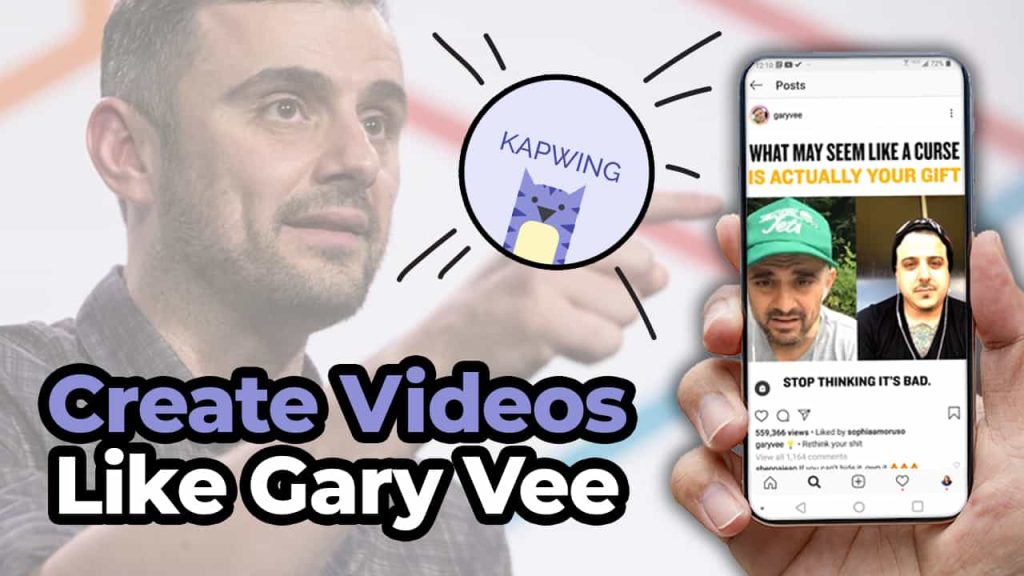
There is no denying that Gary Vee is prolifically using social media to grow his brand. Sometimes you go on all these different social networks like Facebook and Twitter and Instagram and LinkedIn. And he is just there creating totally unique content for each platform. And it can be really overwhelming for those of us that are trying to figure out just how to create one video that does one thing. Stay tuned to find out ’cause in this video we’re gonna break it down for you. So it’s gonna be super easy for you to do. Create Like Gary Vee Gary Vee’s strategy is so prolific and he is constantly creating new content for all of us to consume. So how are you, a normal business owner, supposed to really create content as much as Gary in the way that he does? Now I was fortunate enough to get to meet Gary Vee back in 2013. When I was like some odd weeks pregnant and I got his new book “Jab, Jab, Jab, Right Hook.” And it really kind of transformed how I was doing with social media and how I looked at things. I really entered into a world of time to solve people’s problems. And that’s exactly what I preach here on this channel like Gary does all the time. Show up for people and solve their problems. Well, I’m about to solve a really big problem for you. Which is how can you easily create videos as frequently as Gary? Work Smarter Not Harder And with that, we’re going to also include today’s sponsor for this post, Kapwing, which is my go-to website and resource for creating all of my social videos for my business and also for my clients. Kapwing is fantastic for resizing videos, adding closed captions, doing progress bars. Just making your videos look really awesome for social media. Super, super easy. So in this post, we’re gonna dissect three things that Gary Vee is doing so that you can apply this strategy to your business. One, we’re gonna go over how he creates his content. What you can learn from it and how you can do it with a little help from Kapwing. How Gary Creates One of the things that’s incredibly unique about Gary is that he is always recording video. He actually has people that follow him around on a constant basis filming him when we’re not in COVID. And even through COVID, he has taken to doing his “Tea With GaryVee” where he is live streaming on a regular basis. To create content to talk to people who are part of his fan base he can help. But this can be really hard for you. Especially because like I said, you’re probably a normal person who is busy working in their business. No one is expecting you to be Gary Vee. It would be really awesome if you have someone that can film you. Or maybe if you have a special occasion or an event that you’re doing. You could probably have someone come in and film for you. But for the most part, it’s going to probably be a little bit harder for you to create as much content as Gary does. So how can you do this? Record Everything Well, the first thing I’m going to advise you to do is do consider recording every meeting that you have. That’s right. Get on to Zoom, do a live stream, and talk to your potential customers and your current customers. You never know when that little stroke, that line, that little 30 seconds to a minute piece of genius is gonna come out of your mouth. So why not be ready when it does? Because I can’t tell you how many times I’m having a conversation with somebody I’m like, “Aw man, that was really good, I wish I had recorded that.” We live in a world where live streaming and Zoom are just kind of the new normal. So no one is going anything to bat an eye at you recording or using this footage over again for your social media content. So really take that cue of Gary recording everything that he’s doing and find a way to do that for yourself as well. What do people keep asking you? My second tip for you when you’re trying to record a video is really sit down and look at what are the things that people keep asking you questions about? Are you getting these emails, maybe a text message? Or are you fortunate enough to be getting these questions on social media or on your YouTube videos? Take these questions, sit down with your camera just like I’m doing with you right here. And just have a conversation with the camera or aka Bob to solve his problem. By solving other people’s problems it’s going to come across as so genuine and so real. And this is a no SEO moment. The reason this is a no SEO moment is that it’s not about getting found in search and doing all the stuff. It’s about connecting with people by solving their actual problems. These sort of videos are going to allow you to really connect with people and have that emotional bond that you are hoping to get. That comes from answering questions from your customers. Not everything is about being found in search. Sometimes it’s about helping people with their actual problems right then and there. And I might add, this is something that Gary does all of the time. So if we’re here to be like Gary, this is how you do it. Get the Look Now let’s dissect the physical look of a Gary Vee video and why it is successful. The video I reference has three main parts. We have our text and title at the bottom. We have the actual video in the middle. And at the bottom, we have
Why You Should Use Hashtags On Facebook // Increase Your Organic Reach on Facebook With Hashtags
You probably got a notification recently that said if you want to increase your engagement and reach for your posts, you should add hashtags. Does this mean that Facebook is actually caring about hashtags for their algorithm? Keep reading and find out! History of the Hashtag Now, hashtags are going to be a vital part of your content strategy going forward after you read this blog. Hashtags came to Facebook way back in 2013, and they really didn’t do much with them. They were kind of like, yeah, we’re okay with them, but it doesn’t do anything. Now, unlike other platforms like Twitter and Instagram and LinkedIn where hashtags are a vital part of your post’s success, Facebook has, for the most part, been like, whatever, but now they’re actually giving it the attention and weight that it deserves to increase the organic reach of your post. So this all started back in May of 2020 when Facebook decided to push #supportsmallbusiness. This was to allow users in local areas to support their local businesses to help keep them alive through the COVID pandemic crisis. Since then, they’ve encouraged Facebook pages to add hashtags to their posts so that they can boost engagement and reach. While it really isn’t clear what this has to do with the algorithm or how it works, Facebook has said add hashtags to your posts to give it the little bump in organic reach that it has, and let’s be honest, I think all of us will take any little bit of organic reach that we can when it comes to Facebook. How do they work?! So how do hashtags work on Facebook? Well, it’s just like everywhere else. You take one word or a series of words with no spaces and add that pound or number sign to the front of it. When you add it to your Facebook post, I encourage you to put it at the bottom and make sure not to do too many because that’s just tacky, and remember, your Facebook audience is just going to be getting used to you using hashtags again on this new platform. You have to remember, your viewers aren’t used to you using hashtags on Facebook and they’re probably not used to seeing them either. So use them very lightly and delicately when you’re adding them to your posts. Once you have made that hashtag for your post, it becomes a button that you can click and it will take you to other posts that you have that have your hashtag included. So let’s use puppies for example. If you add puppies to your post and you click on that puppies hashtag, you’re going to be taken to a hashtag list on Facebook that’s going to list all of the awesome hashtags that have puppies on it. Now, what’s really cool about this is that Facebook is giving weight to the immediate community that you have. This means that your friends and the pages that you follow and interact with most that are using #puppies are going to show up at the top, and then underneath it is going to be the second layer and that’s going to be people who are connected to the people that you are friends with, the post they have with #puppies in it. Then after that, it’s just kind of anyone that’s using it most recent or for posts that you probably would interact with more. Now, if you want to research what hashtags you should use, which ones are going to be most relevant, maybe you want to claim your hashtag for your business, you can go up to the Facebook search bar at the top and just type in the hashtag and see what comes up. This is going to be a great way for you to not only figure out what hashtags you should be using for your business, but it’s also going to allow for you to get really involved in your local community and see what are the hashtags that are happening around me and in my specific vertical or area? Helpful Tips Now, a tip for you to have more success and ease of use when it comes to hashtags on Facebook is you should create a list of hashtags that you can kind of use for different styles of posts. Now, a lot of us Instagram users are going to teach you that you should create groups of hashtags that you can copy and paste and use in your post. For example, I have a whole list of hashtags for social media, a whole list of hashtags for my podcast, and a whole list of hashtags for being a YouTuber. By having these groups, it’s easy for me to copy them and then paste them into my content calendar to schedule that out. The same thing can be done with Facebook. You should be creating three to five hashtags that you can use for different types of content you’re creating. Whether you’re doing behind the scenes or promoting a product or day in the life or whatever it is that you’re doing, create a bunch of different ones that you can keep referencing so that you can add them to your post. Now, you might be a little bit skeptical at this point, but I promise, you definitely want to be adding hashtags into your post. Facebook guru Mari Smith even revealed to us that Facebook is testing a button for browsing. With this feature, there is going to be a ‘see more posts with this hashtag’ button and you can click it and go see them, rather than just having that button in the post. Facebook is definitely giving hashtags attention and you need to make sure that your brand is a part of it. When it comes to etiquette, as I said earlier, make sure that you’re not doing too many hashtags and definitely don’t do something like
Make Better Linkedin Videos // 5x Your Engagement With These Tips!
We no longer live in an era where you can just hide behind your logo. People now more than ever want to connect with you as an individual before they consider ever doing any kind of business with you. So in this blog I’m going to break down how you can use video on LinkedIn to grow your business, get more engagement, and hopefully close those sales. Let me break down some facts for you about LinkedIn. There are over 675 million users on LinkedIn. It’s actually one of the few social networks that’s continuously growing and has steadily over the many many years that it has been around. You might think the content on LinkedIn is going to be geared more towards recruiters and people who are looking for a job, when in fact, 15 times more content on LinkedIn is geared towards businesses than actually looking for a job. So this is a great opportunity for you to share your information with your potential customer in a way that you never thought possible before. And LinkedIn shows that year after year engagement is increasing by 50% because more people are finding success in building business relationships on LinkedIn than they were with Facebook or Twitter or Instagram. So how can you be using LinkedIn to grow your brand and business, make more money, convert those sales, all that good stuff? Well we’re gonna be focusing on three things in this blog. Keep Them Watching First things first, how to keep them watching, what really is going to matter, and what tips I have for you to find success. Now before we dive into these tips, I want to make sure you know that this is brought to you by Kapwing, my favorite social video platform that is available for you to use for free to create all of your videos for any social network that you’re using. I’m going show you in a minute how I use Kapwing to create progress bars to keep people watching my videos on LinkedIn so you can really see the power of that tool. But if you were wanting to do anything with social media, you definitely want to check out Kapwing. I have a link for you to check it out in the description, and like I said, it’s free, so what do you have to lose? So how do you keep people watching your LinkedIn videos? You have to remember, since the majority of people who are on LinkedIn are business professionals who are looking to do B2B business, they guard their time very sacredly so you want to be very respectful of that. So how I choose to keep people watching my videos is with a progress bar. There’s actually a ton of psychology that goes into this, but basically it comes down to people are more likely to finish watching your videos if they kind of have an idea of how long they can expect to watch. So how can you do this for your videos? Let’s head over to the computer where I’m going to show you how you can use Kapwing to easily add a progress bar to your latest video. Okay so, I have done a couple different tutorials for them in my previous blogs that you can find about how to add subtitles and size your videos and stuff. So I’m not going to go over that. We’re going to go directly into adding that progress bar. So once your video is ready, all you do is go up to shapes, and hit ‘add progress bar’. All right, and then you’re going to adjust the bar to where you want it to go. And once you place it where you want it to go, you’ll see the bar going along the top of your video, timing it to how your thing is going. And then once you are happy with where it is, how thick it is, you can change all that out, like you need it thicker or thinner. Change out the color, whatever it may be, you can do that, you can select a different color, or to put in a specific brand color. White is part of my brand color so I’m fine with that. I can make it more transparent. I can outline it. But all these are things I’m not going to worry about. To me, having the simple progress bar along with my closed captions is what I need. So I’m just gonna go up here to publish. So this is it when it’s all done. It’ll load up and you can see the example of it, you can play it, not play it. Download it, and then you upload it natively to LinkedIn. Invest in Good Equipment Some other ways that you’re going to want to keep people watching your videos is by investing in really good equipment. Now this doesn’t need to be a fancy Canon camera and all this three point lighting like us YouTubers use. This can honestly be something as simple as your cell phone which you already have. But there are some things that you can get that can make it a little bit better. Might I suggest something like Manfrotto handheld cell phone tripod? It’s very affordable and it has a bunch of different options for you to use it. You can use it to put your phone in horizontally or you can take the attachment off and make it so that your phone is vertical. This is actually one of my first tripods I ever bought, so I highly encourage you to check that out as well. So while you’re also using your phone, you want to try using other things to help make sure you can be seen, and that you can be heard, which are two crucial things to all video, but especially on LinkedIn. It’s very important that people can see you, so I’m
Locked Myself in an Airbnb and Wrote a Book!
So here’s the deal I’m writing a book I’m writing a book about the last 10 years of being a social media marketer! All the moments leading up to when I started my agency in 2010 to where we are now currently in the world and I was trying to figure out how to focus and get this done and make sure that my purpose is really clear throughout the whole process. So I decided to take you with me as I did a hardcore two day focus on writing this book. But first, coffee! First things first… coffee. So we’re in the middle of a pandemic and I needed a place that I could write this book so I rented an Airbnb. Let’s roll back the tape here, I’ve had this idea for this book since November, since Thanksgiving actually. I was talking with my husband about it while we were driving to do family Thanksgiving in Colorado and it just hit me, like, we gotta do this book. This book is the lessons that I have learned over the last 10 years of social media marketing and what you can learn from them. I wrote it with the mindset that anybody can take these lessons and apply them to their business right now and go on this journey with me while also learning about what you can do along the way. Home. Cleaning and focusing Since we’re in a pandemic everything’s getting sprayed down and wiped off. The reason I had to go to the Airbnb versus working at home is because there are five other people living in my house; my husband, my two kids, and my two in-laws who we brought in to stay with us through this pandemic just because of all the craziness. They’re older and that’s what you do, you take care of your family, but they’re just a lot and it’s a small house because it’s our house that we’re using to transition into our forever home. It’s noisy and it’s hard and my kids have 100% reached their limit on all of this because they’re sick of being inside. They hate that they can’t go see friends or do anything or go to school, there’s so much anxiety; there’s just so much struggle and frustration. I had put my payment in to my editor and my deposit, he’s like okay I need you to get me as many of your pages by May 4th well this whole series of events happened on April 29th and it literally occurred to me over the weekend that I don’t have enough pages! I have maybe like 40% done, maybe. I had been writing it slowly over the past couple months and I was NOT far enough along. I needed to focus so I reached out to my client and friend Brookes and I was like “hey, I know you have your bnb’s in Phoenix any of them empty so that I can step in and do this?” He’s said absolutely go use this place, total savior! But I knew I needed extra motivation, the novelty of getting to be out of my house and away from the noise and the kids was going to wear off real quick and I had get motivated. So I asked friends of mine to write me letters and I had them send them to my husband. I told my husband print them and put them in envelopes and label when I can open them. I’m so thankful to have the friends and support that I do. It’s one thing to have your ride or die friends, everyone needs them, and it’s even better when your ride or die’s can also be people who you can work with, like entrepreneur ride or die friends. So many of my friends that are awesome and wonderful don’t understand my world because they’re not in it. They are mothers, one of my best friends was a banker turned mom, one of my other friends she was a social worker turned mom and they get it, they understand the work but they’re not in this entrepreneur, own your own business life, while also being a mom and being a wife and dealing with all things that go there. so I was really excited to read these and let them pump me up and guide me through this crazy book journey I went on over 24 or 36 hours. Working through the memories Part of my story, like I said this is a memoir of what’s been going on in my life through this journey and I had to write out the story of giving birth to my second child, my daughter. Literally, every time I tell this story it makes me cry because there’s just so many things that go with it. I almost lost her and I can’t tell this story again, I can’t cry through it again but, it’s just so crazy reliving my life through this book. My hope is that these stories are as moving and helpful but, man, reliving it is intense. So I read letter number two and it says “Writing a book should be a piece of cake for me and by the way did I bring some cake? If not I need to order some asap.” So I responded by ordering Chipotle for lunch but now I need to order cake ’cause my letter told me to. I really wanted to stop writing for a bit, give myself a mental break. I went to Starbucks got myself a ridiculously large tea, got caught up in conversation and then put my kids to bed over video chat and it was just like ugh. I think my husband knew that I would feel the way I did because he’s my husband was the one in charge of doing all of the labeling of letters and when I was suppose to open things. He read all the

An Instagram grid layout helps you think about the overall look of your feed, based on each square on the grid. You can create a consistent layout by carefully planning each square.
How To Light Your Videos for Video Marketing
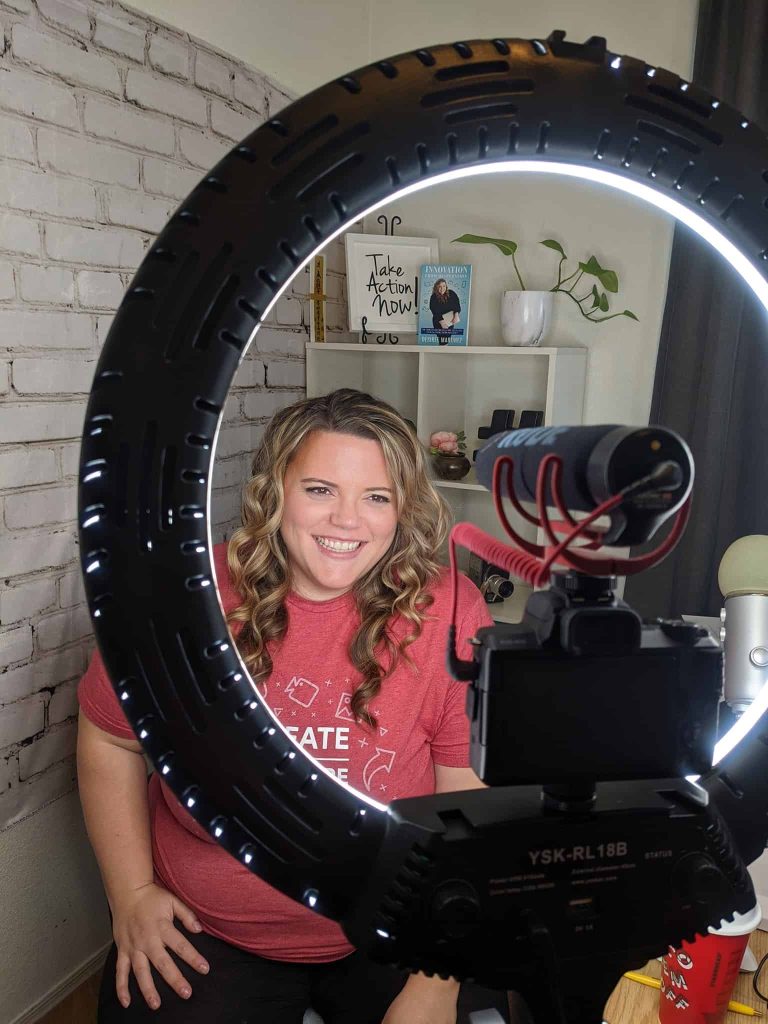
How To Light Your Videos for Video Marketing // It’s time to let yourself shine. in these lighting tips for recording youtube videos I deep dive into my personal set up and some tricks and tips how to get the most out of your lighting.
How To Build Your YouTube Set for Video Marketing

You can really shine with Video Marketing but you have to look the part. A great way to look the part is to learn How To Build Your YouTube Set for Video Marketing.
How To Build Your YouTube Set for Video Marketing
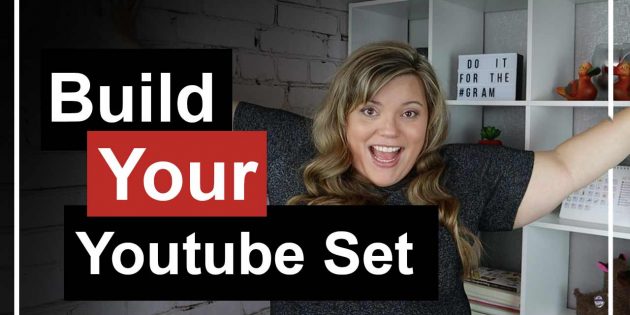
You can really shine with Video Marketing but you have to look the part. A great way to look the part is to learn How To Build Your YouTube Set for Video Marketing.
How To Make a Facebook Video Profile Picture

How To Make a Facebook Video Profile Picture // Stand out on Facebook with some video wizardry. Its time to make your facebook profile pic, into a facebook profile video!
Holiday Marketing Content Plan – Halloween, Thanksgiving, Christmas Content Ideas and more

Holiday Marketing Content Plan – Halloween, Thanksgiving, Christmas Content Ideas – The Holiday season is the most profitable period for retail sales. Season starts after Halloween and culminates in the New Year’s Eve. Holiday season statistics are: 74% of retailers say 20% or more of their annual sales occur during the holiday season.