
Build a successful & profitable business with social media

As business owners, we’re just trying to figure out what it’s going to take to be successful and profitable in the most effective way possible, which is why I’m going to break down how you can build a successful and profitable business with social media. I have been in this game since 2009, being a social media marketer in 2009 wasn’t even a job that really existed. So I think I’ve got some years and a whole crap ton of experience to help make this dream possible for you. I’ve worked with hundreds of businesses and have been able to figure out what’s going to work for you so that you can find success. Getting Started When you’re getting started, you’re actually going to dive into what your objectives and goals are with your social media. It can’t be something as lame as like, “Oh, I want to get sales.” Sales is the objective of everything, making money as our bottom line. So let’s just assume that that’s everyone’s goal. And what we’re going to figure out is, what are the other goals that you want to attach to your social media? Do you want to make a hundred thousand dollars a month? Do you want to build your list to 10,000 people? Are you trying to promote yourself as an expert in your industry? What are the very specific goals that you want to set and how do you want to accomplish them on social media? By having those very clearly defined, it’s going to make everything that you’re going to create, produce, and funnel make sense for you because your bottom line, which is the goal and the objective is all that truly matters. Social media is just a really fun way to get to that goal. Know Your Audience Now you need to study and know your audience. This goes into knowing who your perfect customer is, who would you sell to? Who would you love to work with? By knowing exactly who this person is, you’re going to be able to, again, get those goals and objectives met sooner. And you’re also going to be able to funnel in a lot of these other things that we’re going to talk about. You have to know who you’re talking to. That’s how this whole marketing thing works. You have to know who you’re talking to. So you know exactly how to phrase things where you should be, what you need to offer them and how you’re going to do that. I know that you are here because you want to build your business profitably and how you’re going to do that is because I’m relating to you, because I too am a business owner. I have lots of experience and you definitely came for the information, but stay for the sassiness. That is what we’re here to do. I know you. You don’t know me. I know your objectives. I know your struggle, which is why you are here reading this blog. Now, once you know who you’re talking to, you’re going to be able to figure out where it is that they spend their time online. Finding Your Audience Not everybody’s social media habits are the same. Some demographics really like Facebook. Some demographics like Instagram. Some people are really into Twitter. Some people are really into Clubhouse. Some people are really into YouTube. You have to pick the platform that’s going to talk to the greatest portion of your audience. I know mine, a platform for talking to people is on YouTube. But I also know that my secondary platform is actually going to be on Instagram because that’s where I can connect with people in a totally new, fun way versus like what I do here, which is inform you and educate you in long article form. Over there, I’m having fun, maintaining, informing and inspiring. So I know where you like to spend your time, which is why you’re here. You need to figure out where your people spend most of their time and you usually can dive into it by those demographics. Now, once you pick the platform, you need to study the kind of content that performs best on that platform. How to post on the best platform For the most part, you can probably bank on the fact that video of some kind is going to be in a really important part of what you’re going to create. If it’s Instagram, doing stories and reels is really vital to your success. If you’re on YouTube, long form content is going to be successful. If you’re doing something on Facebook or Twitter, you’re going to probably want short form video content. Whatever the mediums are that performed best on those platforms, you need to figure out what those are and study them and analyze them so that you’re going to be able to create content that’s going to be effective for your audience to accomplish your objectives and goals. Do you like how I like it brought that all back around? Can you do what is needed or do you need help With the studying of what kind of content you should be creating and what’s going to perform best. You’re also going to need to tap into the like, “Am I skilled enough to make this happen?” So a little story about your girl Desiree from day one, day one of being on YouTube, I have had an editor. That’s right. I knew it was so important for me to be here to help you, that I needed to remove any barrier I had that as a mom, as a military wife and an entrepreneur running a business, and this amount of time to do it and trying to add in this other thing of doing video editing was not a skill I was willing to develop or something I was willing to sacrifice that time for. So by
9 Live Streaming Tips and Tricks for More Engagement
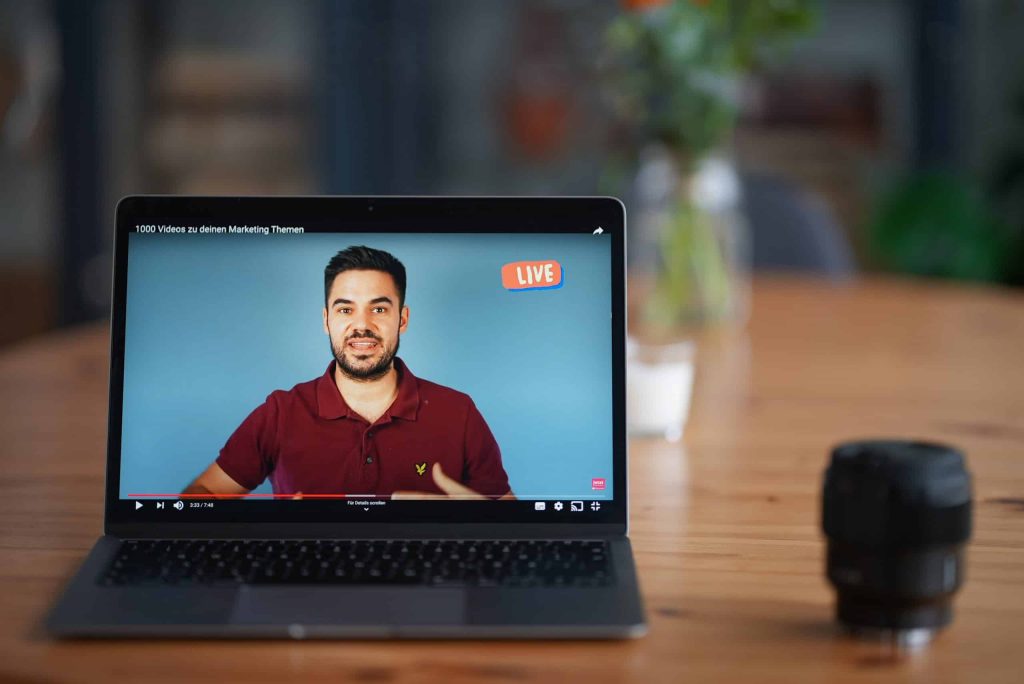
One of the biggest benefits of getting a livestream is that you get to engage with your audience, but how do you get people to actually show up and do things for your livestream so that you can have that engagement and build up for every community that you’re looking for? I’m going to break down for you how to create a more engaging livestream so that you can just crush it with your live streaming goals. Let’s dive into these different things that are going to help make sure that your live streaming game is going to be on point. Now, before you even start live streaming, before you even hit that go button, you want to make sure that you have everything in place to make sure that your livestream has the most chance for success, that you have a good view for your webcam, that you have really good internet, that you have good lighting, that you have good sound. To know all the things that you need to have in place in order to hit that live button with success, I have a checklist that’ll break down everything you want to make sure that you grab and do before you even dive in to your livestream. This checklist is going to go over things like lighting, sound, run of show and so forth. Live Stream Promotion It’s important to make sure that you’re not just going live for the sake of going live. You want to have a warm-up and a lead into it. You’re going to be able to schedule your livestream up to a week before they go live, and no longer than that. Facebook does not let you do anything more than seven days in advance, and YouTube is going to want you to do that as well. So schedule your livestream ahead of time and make sure you have everything very clearly spread out. You want to have your title. You want to have your description. You want to have a good thumbnail and you want to know what time you’re going to be there. A lot of people ask, can I promote? Can I boost, put money behind my livestream? And the answer is no, you cannot boost or promote a livestream and largely because that content hasn’t been created yet. In order for Facebook or Instagram or YouTube advertising to work, they have to know what the content is going to be. Well, you haven’t gone live yet, so you don’t know what you’re going to say or do yet. Therefore, they cannot approve any kind of boost of post because of their terms and conditions. However, what you can do is create a Facebook event that will promote your livestream. You can boost that. You can also do posts on your Facebook and boost those as well, or do them on Instagram or wherever else you are using. Whatever your means are for promoting, by having that scheduled link to share, it’s going to make it easier for you to promote your live stream and get more people to attend. Producing your live stream So now, we’re going to dive in what you want to do during your livestream to make sure that it flows well and that it’s engaging well. First things first, don’t jump right out of the gate with what you’re going to say. I don’t jump into, “hey guys, let’s dive into this”, because you’re not giving any time for your audience to join in. It takes a second for those modifications to come through for Facebook and YouTube. So give it a little bit of a padding, like a three-minute timer might be a really great lead in for you. By having a countdown timer, it gives time for all of the notifications to happen, for people to join in on you so that you know what’s going on and they can kind of get all set and cozy and ready to consume your livestream that you have created. If you just dive into it, you’re going to hurt yourself. For those of you that record for the replay, remember in Facebook and in YouTube, you can edit out those beginning and end parts that maybe you don’t want to have for your recording that you use again and again and again. So don’t worry about that timer staying there forever. You just want to make sure you have it leading into the livestream.The next thing that you can do for your livestream to make it more engaging is start with a little bit of banter and fun. Have a reason leading into what your main topic is. So let’s say you’re doing a whole video about the latest in the insurance business, like 10 things you need to know about what’s changing in insurance. Maybe you can have a little banter about humor, funny things, things that are happening at your agency or whatever it may be leading into that. One of the bonus steps I want to give to you is it’s really great to have a co-host, even if it’s just a guest that comes in on a regular basis to help you. It’s really helpful to have someone to bounce things off of and have conversations with. Trying to do a livestream by yourself can be really hard. I know, I do it on a regular basis with the Women of YouTube group and a lot of it’s because I’m teaching people how to do things and I’m relying on the comments to get the back and forth started, but when I have a guest on, it just goes so much better and it’s just so much more fun and fluid. It’s much more conversational versus me commenting on comments. So, consider having a guest to have as a banter for you and have that lead in, that warm-up, into your main topic. Getting Engagement on your Live Stream
How to deal with sucking at everything
If there’s anything I’ve learned over the last 10 years, adulting sucks. Everywhere you look, it seems like people just have everything together on their social media, with their picture-perfect everything. And no matter what you try to make or do for yourself, it seems like you’re just making mistake after mistake, in business, and in life. The weight of doing it all has you so uninspired and incredibly unmotivated, and you just don’t know what to do. Trust me. If anyone’s going to understand, it’s me. I get it. I have been falling on my face left and right in business, as a wife, as a mom, and life in general. And I figured it was time I needed to put this down onto paper to share with you because I’m pretty sure that you do not want to feel as crazy or as lonely as I did. Now, don’t worry. This is not a self-help book because I clearly have no idea what I am doing. But I have learned some things along the way that I think that you can really relate to and maybe even learn from, like setting boundaries between your kids and your family. Have you ever had this conversation? Kids: Mommy, Mommy, Mommy. Come out. You: Mommy’s still going potty. Kids: Mommy, Mommy, Mommy. Come out. Or maybe you’re trying to figure out what it takes to start a business, and you have absolutely no idea what in the world you’re doing, but you do hopefully want to supplement your family’s income or maybe even become the breadwinner. But you don’t have to take my word for it. Let’s see what these other hot messes have to say. “I wish when I had the vision to start creating a family history channel on YouTube that I had Desiree in my back pocket. It took me two years to get started because I thought I had to be perfect. Desiree teaches you, no, you don’t have to be perfect. You have to start. Grab Desiree’s book and start, suck, and get better.” – Devon L. “I am a hot mess mama, entrepreneur, business owner, trying to be successful, trying to hit those marks, be a good mom, be a good wife, be successful in your business. And you know, we fail at those things sometimes, and it’s okay. You literally have to start somewhere. Desiree’s book has just been absolutely amazing in my life, and apply those concepts and things. So Desiree, thanks for writing, Start. Suck. Get Better!, because that’s my life. As a former high school English teacher who entered the entrepreneurial world three or four years ago, Desiree’s book was so helpful. It helped me to see there is a journey in the whole entrepreneurial process. I laughed with her. I cried with her. It was a wonderful read as well as truly inspirational. Must read.” – Kiki Chatfield I want to be a part of your journey so that you never have to feel alone, overwhelmed, or lost ever again. I want to be a part of your journey so that you can start, suck, and get better with me, together. As always, YOU are impossibly amazing!
Video Marketing Content Ideas // Videos EVERY Business NEEDS to be Making to Grow Their Brand
One of the questions that I get asked a lot in my comments, and by people in all of the places is, how do I know what content I should be making for my business? Well in this post, I’m going to show you what content you should be making to grow your brand with video.
How to Streamyard: Using Streamyard Record Only Feature AND How To Go Live Later With Recording
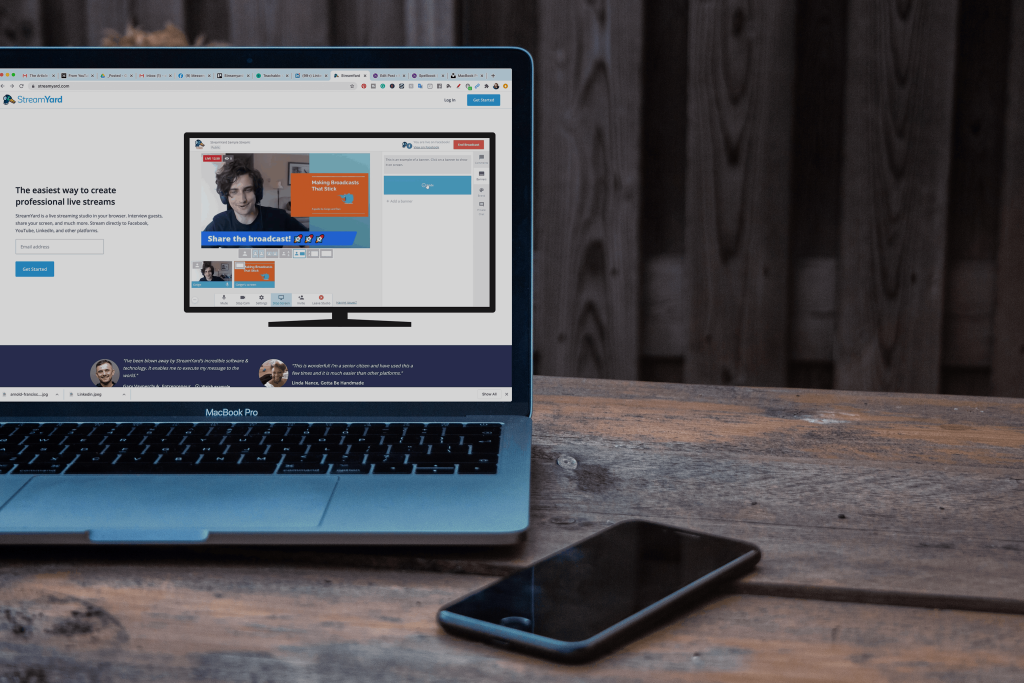
There are so many great features available on Streamyard for all of your live streaming needs. But one of the features that a lot of people overlook is the record only feature on Streamyard. In this post, I’m going to break it down for you. Why you want to use the record only feature, how you use the record only feature, and how you can go live after you have prerecorded your video. Why Use the Recording Feature So why would you want to use the record only feature on a live streaming tool? Well, a lot of people had requested this from Streamyard when they were going through their initial setup and creation of the tool. To figure out how people were using it, I turned to the streamer community over on Facebook and asked how are they using it for the record only? And the answers I got back were so great. I had to share them with you here. Use Recording For Testing The most popular reason was for testing. One of the things that’s so uncertain about live-streaming is, is this going to work right? Is my new tech going to work? Is my internet going to work? And so many different things. So by testing out the record only, you can not only go through your live-stream as a demo, but you’re also going to be able to then play it back for yourself, like in a movie file or something and see what went wrong, what was working, what wasn’t and all that good stuff. That’s why Streamyard is so powerful; it’s not only setting you up for successful live-stream but also giving you ways for you to test it as well. Use Recording for Presentations A lot of people also like to use Streamyard for recording presentations, tutorials courses, all of those educational based things, because of one really cool feature: you can have your information on the screen, as well as your face on the side because Streamyard allows you to have different ways to layout who is on the screen and what it looks like, whether your face is big, your presentation is small or vice versa, or just the presentation or just your face. There are so many different ways that you can use the layout in Streamyard. It’s going to make it really fun and interactive for you to have a next-level presentation for whatever you’re trying to do. Why Pre-Recording is so Versatile Now, oftentimes when we are live-streaming, we don’t always have the option to go live. Maybe we have an interview that we really want to do, and the person just can’t make themselves available or maybe you’re going to have really spotty internet, or maybe you’re going on vacation and you just want to have the option to go live at a different time. Well, if you use the record only feature, you can sell all of the benefits and features that are available to you from stream yard. And then you can just kind of go live later. A lot of people also like using the record only tool for the podcast recording. Again, you can have guests on, you can do things on the screen, all of that really great stuff, or maybe you’re going to edit it later. So if you know that you’re gonna flub up or something happens like the dog barks, if you’ve got kids around, but you really have to get something recorded, record only allows for you to record those videos in a fun, interactive way. Again, using those Streamyard features that aren’t available to you when you’re just putting up a camera and hitting record. How to Record with Streamyard Okay, so when we’re getting started we’re going to go to Streamyard and click create a broadcast. You have all of the different destinations that you’ve created, but we want to skip the destinations and click record only. This is where we’re going to put in what we’re going to do. So, I have a presentation that I need to record for a podcast summit that I’m participating in. So I’m going to enter my broadcast and I also want to add in my presentation. So what I’m going to do at the bottom is hit screen share, and I’m going to pick the tab I want to be able to show on the screen. It will automatically pop me over to the place I want to screen share from, and I don’t want to do that. So I’m going to click back onto Streamyard. I’m going to add myself to this stream. And once you are here you can change the layout, make yourself bigger or smaller, make the presentation bigger or smaller, have just yourself or just the presentation. I can change out my branding to match what I am doing. Let’s say I’ve done my full presentation. I’ve played with all the things, added all of my overlays and I hit end broadcast. Now what I need to do is download the recording. So I hit links and I download my recording and I can do my recording only, or my audio-only, I’m going to do the recording and then it’s just going to download it. Streamyard saves your recordings for up to 15 days, I recommend downloading them once they are done so that you have them natively on your computer. And as you can see, to make computers. So, here’s my video that I did with my live-stream. What to do with Your Recorded Video So now that you have recorded your video and it’s all set to go, you want to go live with that video, but you can’t because it’s prerecorded. So how do you do that? Well, that’s where today’s sponsor Live Pigeon comes in. Live Pigeon allows for you to live-stream your prerecorded content, to Facebook and YouTube So incredibly easy. I literally use this tool
Why You Should Go Live On YouTube Premier vs Live – Which Should You Do
I love YouTube! I think it’s a great way to connect with people, solve problems, and be entertained on a regular basis. But, as a YouTube creator, I run into a lot of questions that I’m asking myself. Things like, “Should I be using Premiere?” “Should I just be pre-recording stuff?” “What am I supposed to be doing with this whole live-streaming thing?” And let’s not even go into how analytics are just a whole mess to try and figure out. It definitely takes a lot of work. But in this post, I really want to dive into, why you should be live-streaming versus using Premiere or even just posting out pre-recorded videos. Let’s Dive into Live Pigeon Now, recently I was introduced to this really wonderful, awesome, amazing, tool called, LIVE pigeon. You’re going to want to use LIVE pigeon because it’s going to let you live-stream, pre-recorded videos to your YouTube Channel. Can we just take a minute to let that marinate about how awesome that actually is? Oh, you don’t know why? Okay, so let’s dive into this. So I’ve been getting asked a lot, why should I live-stream these pre-recorded videos versus just doing a Premiere? Well, the thing is, is that YouTube does things in their own unique way. And every feature has a special way of putting things out into the Universe. So, with the Premiere feature, it allows you to take your pre-recorded, beautifully put together video content and watch it with your audience. You can schedule this out. You get this little like video schedule thing that goes up on your YouTube interface and you’re able to see like, “Hey, this person has a video coming out at this time!” And you guys can watch it together. And just like a live-stream, you have a chat that happens at the same time. There are a lot of really great benefits like you can get Super Chats and you can do your Memberships, and all of that great stuff for additional revenue options, when it comes to YouTube. However, the Premiere feature notification system is kind of limiting, in my opinion. 30 minutes prior to your video going live through the Premiere, and when it actually goes live through the Premiere, YouTube pushes the notification to your bell subscribers that this video is happening, and hopefully, it pulls them in to watch with you. And then you can have the chat and watch the video together. This is a really nice idea, but if you want to increase people watching your video when it happens, you’re going to want to do it as a live-stream. Live Stream on Youtube Live-stream on YouTube is very similar to Premiere. You can schedule it out, you put the notifications up, you can fill in your titles and your thumbnails, and all of the things. But the promotional system is very different for live-streams versus Premieres. So not only are you going to get the usual bell notifications and all that kinda jazz that come with new videos going up. So when your video is live, you’re more likely to get people who have never been apart of your YouTube journey or who have subscribed to you, maybe haven’t visited your channel in a while, and they’re gonna be like, “Oh, yeah, I’m gonna go watch that video, because that looks really interesting.” I personally have seen a gigantic increase in my initial views and my day one views by doing pre-recorded live videos versus using Premiere, which I was also using very adamantly as well. So with live-stream, we’re going to be able to schedule those pre-recorded live videos so that you can do all of the same things that Premiere, but get the benefit that YouTube has for you with Live. Now, if you just wanna live-stream, go for it, go nuts. In fact, I would encourage you to use a third-party tool, like StreamYard, which allows you to go live, interact, engage, answer questions, and go for long amounts of time to your heart’s desire. But, if you have a channel kinda like mine, where you’re resource-driven and you put a lot of time and energy and research into what you’re going to do to share and connect with your audience, especially when it comes to respecting their time, definitely check out LIVE pigeon. And until next time, I’ll see you soon.
Locked Myself in an Airbnb and Wrote a Book!
So here’s the deal I’m writing a book I’m writing a book about the last 10 years of being a social media marketer! All the moments leading up to when I started my agency in 2010 to where we are now currently in the world and I was trying to figure out how to focus and get this done and make sure that my purpose is really clear throughout the whole process. So I decided to take you with me as I did a hardcore two day focus on writing this book. But first, coffee! First things first… coffee. So we’re in the middle of a pandemic and I needed a place that I could write this book so I rented an Airbnb. Let’s roll back the tape here, I’ve had this idea for this book since November, since Thanksgiving actually. I was talking with my husband about it while we were driving to do family Thanksgiving in Colorado and it just hit me, like, we gotta do this book. This book is the lessons that I have learned over the last 10 years of social media marketing and what you can learn from them. I wrote it with the mindset that anybody can take these lessons and apply them to their business right now and go on this journey with me while also learning about what you can do along the way. Home. Cleaning and focusing Since we’re in a pandemic everything’s getting sprayed down and wiped off. The reason I had to go to the Airbnb versus working at home is because there are five other people living in my house; my husband, my two kids, and my two in-laws who we brought in to stay with us through this pandemic just because of all the craziness. They’re older and that’s what you do, you take care of your family, but they’re just a lot and it’s a small house because it’s our house that we’re using to transition into our forever home. It’s noisy and it’s hard and my kids have 100% reached their limit on all of this because they’re sick of being inside. They hate that they can’t go see friends or do anything or go to school, there’s so much anxiety; there’s just so much struggle and frustration. I had put my payment in to my editor and my deposit, he’s like okay I need you to get me as many of your pages by May 4th well this whole series of events happened on April 29th and it literally occurred to me over the weekend that I don’t have enough pages! I have maybe like 40% done, maybe. I had been writing it slowly over the past couple months and I was NOT far enough along. I needed to focus so I reached out to my client and friend Brookes and I was like “hey, I know you have your bnb’s in Phoenix any of them empty so that I can step in and do this?” He’s said absolutely go use this place, total savior! But I knew I needed extra motivation, the novelty of getting to be out of my house and away from the noise and the kids was going to wear off real quick and I had get motivated. So I asked friends of mine to write me letters and I had them send them to my husband. I told my husband print them and put them in envelopes and label when I can open them. I’m so thankful to have the friends and support that I do. It’s one thing to have your ride or die friends, everyone needs them, and it’s even better when your ride or die’s can also be people who you can work with, like entrepreneur ride or die friends. So many of my friends that are awesome and wonderful don’t understand my world because they’re not in it. They are mothers, one of my best friends was a banker turned mom, one of my other friends she was a social worker turned mom and they get it, they understand the work but they’re not in this entrepreneur, own your own business life, while also being a mom and being a wife and dealing with all things that go there. so I was really excited to read these and let them pump me up and guide me through this crazy book journey I went on over 24 or 36 hours. Working through the memories Part of my story, like I said this is a memoir of what’s been going on in my life through this journey and I had to write out the story of giving birth to my second child, my daughter. Literally, every time I tell this story it makes me cry because there’s just so many things that go with it. I almost lost her and I can’t tell this story again, I can’t cry through it again but, it’s just so crazy reliving my life through this book. My hope is that these stories are as moving and helpful but, man, reliving it is intense. So I read letter number two and it says “Writing a book should be a piece of cake for me and by the way did I bring some cake? If not I need to order some asap.” So I responded by ordering Chipotle for lunch but now I need to order cake ’cause my letter told me to. I really wanted to stop writing for a bit, give myself a mental break. I went to Starbucks got myself a ridiculously large tea, got caught up in conversation and then put my kids to bed over video chat and it was just like ugh. I think my husband knew that I would feel the way I did because he’s my husband was the one in charge of doing all of the labeling of letters and when I was suppose to open things. He read all the