
How to deal with sucking at everything

If there’s anything I’ve learned over the last 10 years, adulting sucks. Everywhere you look, it seems like people just have everything together on their social media, with their picture-perfect everything. And no matter what you try to make or do for yourself, it seems like you’re just making mistake after mistake, in business, and in life. The weight of doing it all has you so uninspired and incredibly unmotivated, and you just don’t know what to do. Trust me. If anyone’s going to understand, it’s me. I get it. I have been falling on my face left and right in business, as a wife, as a mom, and life in general. And I figured it was time I needed to put this down onto paper to share with you because I’m pretty sure that you do not want to feel as crazy or as lonely as I did. Now, don’t worry. This is not a self-help book because I clearly have no idea what I am doing. But I have learned some things along the way that I think that you can really relate to and maybe even learn from, like setting boundaries between your kids and your family. Have you ever had this conversation? Kids: Mommy, Mommy, Mommy. Come out. You: Mommy’s still going potty. Kids: Mommy, Mommy, Mommy. Come out. Or maybe you’re trying to figure out what it takes to start a business, and you have absolutely no idea what in the world you’re doing, but you do hopefully want to supplement your family’s income or maybe even become the breadwinner. But you don’t have to take my word for it. Let’s see what these other hot messes have to say. “I wish when I had the vision to start creating a family history channel on YouTube that I had Desiree in my back pocket. It took me two years to get started because I thought I had to be perfect. Desiree teaches you, no, you don’t have to be perfect. You have to start. Grab Desiree’s book and start, suck, and get better.” – Devon L. “I am a hot mess mama, entrepreneur, business owner, trying to be successful, trying to hit those marks, be a good mom, be a good wife, be successful in your business. And you know, we fail at those things sometimes, and it’s okay. You literally have to start somewhere. Desiree’s book has just been absolutely amazing in my life, and apply those concepts and things. So Desiree, thanks for writing, Start. Suck. Get Better!, because that’s my life. As a former high school English teacher who entered the entrepreneurial world three or four years ago, Desiree’s book was so helpful. It helped me to see there is a journey in the whole entrepreneurial process. I laughed with her. I cried with her. It was a wonderful read as well as truly inspirational. Must read.” – Kiki Chatfield I want to be a part of your journey so that you never have to feel alone, overwhelmed, or lost ever again. I want to be a part of your journey so that you can start, suck, and get better with me, together. As always, YOU are impossibly amazing!
Create Gary Vee Style Videos For Social Media // What To Do and HOW to Do It!
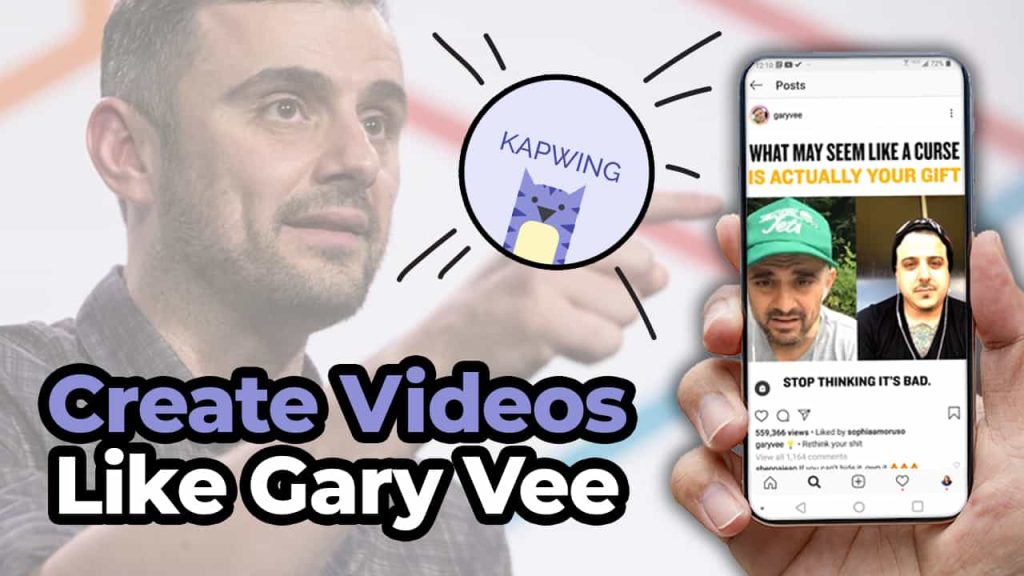
There is no denying that Gary Vee is prolifically using social media to grow his brand. Sometimes you go on all these different social networks like Facebook and Twitter and Instagram and LinkedIn. And he is just there creating totally unique content for each platform. And it can be really overwhelming for those of us that are trying to figure out just how to create one video that does one thing. Stay tuned to find out ’cause in this video we’re gonna break it down for you. So it’s gonna be super easy for you to do. Create Like Gary Vee Gary Vee’s strategy is so prolific and he is constantly creating new content for all of us to consume. So how are you, a normal business owner, supposed to really create content as much as Gary in the way that he does? Now I was fortunate enough to get to meet Gary Vee back in 2013. When I was like some odd weeks pregnant and I got his new book “Jab, Jab, Jab, Right Hook.” And it really kind of transformed how I was doing with social media and how I looked at things. I really entered into a world of time to solve people’s problems. And that’s exactly what I preach here on this channel like Gary does all the time. Show up for people and solve their problems. Well, I’m about to solve a really big problem for you. Which is how can you easily create videos as frequently as Gary? Work Smarter Not Harder And with that, we’re going to also include today’s sponsor for this post, Kapwing, which is my go-to website and resource for creating all of my social videos for my business and also for my clients. Kapwing is fantastic for resizing videos, adding closed captions, doing progress bars. Just making your videos look really awesome for social media. Super, super easy. So in this post, we’re gonna dissect three things that Gary Vee is doing so that you can apply this strategy to your business. One, we’re gonna go over how he creates his content. What you can learn from it and how you can do it with a little help from Kapwing. How Gary Creates One of the things that’s incredibly unique about Gary is that he is always recording video. He actually has people that follow him around on a constant basis filming him when we’re not in COVID. And even through COVID, he has taken to doing his “Tea With GaryVee” where he is live streaming on a regular basis. To create content to talk to people who are part of his fan base he can help. But this can be really hard for you. Especially because like I said, you’re probably a normal person who is busy working in their business. No one is expecting you to be Gary Vee. It would be really awesome if you have someone that can film you. Or maybe if you have a special occasion or an event that you’re doing. You could probably have someone come in and film for you. But for the most part, it’s going to probably be a little bit harder for you to create as much content as Gary does. So how can you do this? Record Everything Well, the first thing I’m going to advise you to do is do consider recording every meeting that you have. That’s right. Get on to Zoom, do a live stream, and talk to your potential customers and your current customers. You never know when that little stroke, that line, that little 30 seconds to a minute piece of genius is gonna come out of your mouth. So why not be ready when it does? Because I can’t tell you how many times I’m having a conversation with somebody I’m like, “Aw man, that was really good, I wish I had recorded that.” We live in a world where live streaming and Zoom are just kind of the new normal. So no one is going anything to bat an eye at you recording or using this footage over again for your social media content. So really take that cue of Gary recording everything that he’s doing and find a way to do that for yourself as well. What do people keep asking you? My second tip for you when you’re trying to record a video is really sit down and look at what are the things that people keep asking you questions about? Are you getting these emails, maybe a text message? Or are you fortunate enough to be getting these questions on social media or on your YouTube videos? Take these questions, sit down with your camera just like I’m doing with you right here. And just have a conversation with the camera or aka Bob to solve his problem. By solving other people’s problems it’s going to come across as so genuine and so real. And this is a no SEO moment. The reason this is a no SEO moment is that it’s not about getting found in search and doing all the stuff. It’s about connecting with people by solving their actual problems. These sort of videos are going to allow you to really connect with people and have that emotional bond that you are hoping to get. That comes from answering questions from your customers. Not everything is about being found in search. Sometimes it’s about helping people with their actual problems right then and there. And I might add, this is something that Gary does all of the time. So if we’re here to be like Gary, this is how you do it. Get the Look Now let’s dissect the physical look of a Gary Vee video and why it is successful. The video I reference has three main parts. We have our text and title at the bottom. We have the actual video in the middle. And at the bottom, we have
Make Better Linkedin Videos // 5x Your Engagement With These Tips!
We no longer live in an era where you can just hide behind your logo. People now more than ever want to connect with you as an individual before they consider ever doing any kind of business with you. So in this blog I’m going to break down how you can use video on LinkedIn to grow your business, get more engagement, and hopefully close those sales. Let me break down some facts for you about LinkedIn. There are over 675 million users on LinkedIn. It’s actually one of the few social networks that’s continuously growing and has steadily over the many many years that it has been around. You might think the content on LinkedIn is going to be geared more towards recruiters and people who are looking for a job, when in fact, 15 times more content on LinkedIn is geared towards businesses than actually looking for a job. So this is a great opportunity for you to share your information with your potential customer in a way that you never thought possible before. And LinkedIn shows that year after year engagement is increasing by 50% because more people are finding success in building business relationships on LinkedIn than they were with Facebook or Twitter or Instagram. So how can you be using LinkedIn to grow your brand and business, make more money, convert those sales, all that good stuff? Well we’re gonna be focusing on three things in this blog. Keep Them Watching First things first, how to keep them watching, what really is going to matter, and what tips I have for you to find success. Now before we dive into these tips, I want to make sure you know that this is brought to you by Kapwing, my favorite social video platform that is available for you to use for free to create all of your videos for any social network that you’re using. I’m going show you in a minute how I use Kapwing to create progress bars to keep people watching my videos on LinkedIn so you can really see the power of that tool. But if you were wanting to do anything with social media, you definitely want to check out Kapwing. I have a link for you to check it out in the description, and like I said, it’s free, so what do you have to lose? So how do you keep people watching your LinkedIn videos? You have to remember, since the majority of people who are on LinkedIn are business professionals who are looking to do B2B business, they guard their time very sacredly so you want to be very respectful of that. So how I choose to keep people watching my videos is with a progress bar. There’s actually a ton of psychology that goes into this, but basically it comes down to people are more likely to finish watching your videos if they kind of have an idea of how long they can expect to watch. So how can you do this for your videos? Let’s head over to the computer where I’m going to show you how you can use Kapwing to easily add a progress bar to your latest video. Okay so, I have done a couple different tutorials for them in my previous blogs that you can find about how to add subtitles and size your videos and stuff. So I’m not going to go over that. We’re going to go directly into adding that progress bar. So once your video is ready, all you do is go up to shapes, and hit ‘add progress bar’. All right, and then you’re going to adjust the bar to where you want it to go. And once you place it where you want it to go, you’ll see the bar going along the top of your video, timing it to how your thing is going. And then once you are happy with where it is, how thick it is, you can change all that out, like you need it thicker or thinner. Change out the color, whatever it may be, you can do that, you can select a different color, or to put in a specific brand color. White is part of my brand color so I’m fine with that. I can make it more transparent. I can outline it. But all these are things I’m not going to worry about. To me, having the simple progress bar along with my closed captions is what I need. So I’m just gonna go up here to publish. So this is it when it’s all done. It’ll load up and you can see the example of it, you can play it, not play it. Download it, and then you upload it natively to LinkedIn. Invest in Good Equipment Some other ways that you’re going to want to keep people watching your videos is by investing in really good equipment. Now this doesn’t need to be a fancy Canon camera and all this three point lighting like us YouTubers use. This can honestly be something as simple as your cell phone which you already have. But there are some things that you can get that can make it a little bit better. Might I suggest something like Manfrotto handheld cell phone tripod? It’s very affordable and it has a bunch of different options for you to use it. You can use it to put your phone in horizontally or you can take the attachment off and make it so that your phone is vertical. This is actually one of my first tripods I ever bought, so I highly encourage you to check that out as well. So while you’re also using your phone, you want to try using other things to help make sure you can be seen, and that you can be heard, which are two crucial things to all video, but especially on LinkedIn. It’s very important that people can see you, so I’m