
How to deal with sucking at everything

If there’s anything I’ve learned over the last 10 years, adulting sucks. Everywhere you look, it seems like people just have everything together on their social media, with their picture-perfect everything. And no matter what you try to make or do for yourself, it seems like you’re just making mistake after mistake, in business, and in life. The weight of doing it all has you so uninspired and incredibly unmotivated, and you just don’t know what to do. Trust me. If anyone’s going to understand, it’s me. I get it. I have been falling on my face left and right in business, as a wife, as a mom, and life in general. And I figured it was time I needed to put this down onto paper to share with you because I’m pretty sure that you do not want to feel as crazy or as lonely as I did. Now, don’t worry. This is not a self-help book because I clearly have no idea what I am doing. But I have learned some things along the way that I think that you can really relate to and maybe even learn from, like setting boundaries between your kids and your family. Have you ever had this conversation? Kids: Mommy, Mommy, Mommy. Come out. You: Mommy’s still going potty. Kids: Mommy, Mommy, Mommy. Come out. Or maybe you’re trying to figure out what it takes to start a business, and you have absolutely no idea what in the world you’re doing, but you do hopefully want to supplement your family’s income or maybe even become the breadwinner. But you don’t have to take my word for it. Let’s see what these other hot messes have to say. “I wish when I had the vision to start creating a family history channel on YouTube that I had Desiree in my back pocket. It took me two years to get started because I thought I had to be perfect. Desiree teaches you, no, you don’t have to be perfect. You have to start. Grab Desiree’s book and start, suck, and get better.” – Devon L. “I am a hot mess mama, entrepreneur, business owner, trying to be successful, trying to hit those marks, be a good mom, be a good wife, be successful in your business. And you know, we fail at those things sometimes, and it’s okay. You literally have to start somewhere. Desiree’s book has just been absolutely amazing in my life, and apply those concepts and things. So Desiree, thanks for writing, Start. Suck. Get Better!, because that’s my life. As a former high school English teacher who entered the entrepreneurial world three or four years ago, Desiree’s book was so helpful. It helped me to see there is a journey in the whole entrepreneurial process. I laughed with her. I cried with her. It was a wonderful read as well as truly inspirational. Must read.” – Kiki Chatfield I want to be a part of your journey so that you never have to feel alone, overwhelmed, or lost ever again. I want to be a part of your journey so that you can start, suck, and get better with me, together. As always, YOU are impossibly amazing!
Video Marketing Content Ideas // Videos EVERY Business NEEDS to be Making to Grow Their Brand

One of the questions that I get asked a lot in my comments, and by people in all of the places is, how do I know what content I should be making for my business? Well in this post, I’m going to show you what content you should be making to grow your brand with video.
How To Monetize Videos On Facebook Page // Understanding Facebook Monetization
I was recently asked in my YouTube comments, how do I monetize my channel on Facebook? What does that look like? So in this post, I’m going to break down for you what Facebook monetization looks like for your videos. How to Monetize Your Facebook Page If you’re looking to monetize your Facebook channel, you’re going to want to get started with a really good content strategy because a content strategy is the foundation for everything that you’re going to do on social media and really for marketing in general. There are three ways for you to monetize your content on Facebook. The first way is Facebook subscriptions. Second is going to be with in-stream ads and the third is going to be with brand collaboration. So let’s dive into each one of these, so you know what they are and what the requirements are for you to qualify for them with Facebook. Facebook Fan Subscriptions All right, with fan subscriptions, this is where you can do a monthly recurring subscription with your followers to give them extra added value. This could be extra training, extra digital services, one on one consultations. Whatever it is that you want to charge people on a monthly basis, you can do this with Facebook fan subscription. So in order to qualify for fan subscriptions, the first thing is you have to have 10,000 people that follow your page, and you’re going to need one of these two things. You’re going to need 5000 post engagements over the course of 60 days, or you’re gonna need 180 views on your videos, again, in the course of 60 days. These are the measurements that Facebook has so that they know exactly like how engaged people are going to be when it’s really worth it for them to offer this to you and really even if to be worth your time. They want to make sure that you have a really good audience in place that’s engaging with you before you offer something like this. Brand Collaborations Next, let’s talk about brand collaborations. Brand collaborations allow for other brands to find you and use your followers to promote their products or service. You would post as yourself promoting their product or service. You can do this with things like products, merchandise, all kinds of stuff. So once your qualified, brands can reach out to you and offer you money in exchange for postings. People are still iffy on whether this is a good thing or not. It allows for brands to connect with people in a new trusted way because Facebook is acting as the hub, and there’s a whole qualification process, but oftentimes people feel that they’re not getting offered enough money for what it’s worth, especially because Facebook is taking such a big percentage of these posts. That’s why a lot of people choose to do this themselves, but you might not be able to have access to brands any other way, so it’s still worth opening up for your page. So how do you qualify? In order to qualify, you have to have a minimum of 1000 followers. That’s their measurement for getting started with this, and then they want you to have 15,000 engagements in 60 days, or they want you to have 180,000 views on your videos over the course of 60 days, or they want 30,000 one minute views on your three or longer minute videos. I know it’s kind of a tongue twister but stick with me here. In-Stream Ads The next one that we’re going to talk about is the most popular and the most lucrative, this is going to be in-stream ads. Have you ever been watching a Facebook video and at that 60-second mark, an ad pops up, and it’s usually 10 to 15 seconds promoting something like a product or a service or something local to your area? Well, these are called in-stream ads, and this is how a lot of video creators have found financial success on Facebook. So in order to qualify for in-stream ads, you have to have a minimum of 10,000 followers and 30,000 one minute views on your videos that are over three minutes long. This is why I emphasize a lot in this channel that you should be making long-form videos on Facebook that are a minimum of three minutes long because eventually, you’re going to qualify for in-stream ads which are a great way for you to make residual income. Live Stream Videos So I know what things that you’re probably already asking me, “Well Desiree what about live stream videos?” In order to qualify for your live streams to get ads, you need to have a minimum of 2000 followers and your live stream needs to get 300 concurrent views at one time. So how this means is one you have 2000 followers, and over 300 people are watching your live stream at one point, but what’s really cool is that once you meet this qualification, literally while you’re live streaming, you’ll get a little pop up on Facebook saying this qualifies for an ad break, and you can take it to make ad revenue from your live stream. What’s kind of neat about this is it has a lower threshold for followers, but a higher view count during that live stream. A lot of people will get their views for their live streams afterward. So this is a good thing for you to work towards on your live streams. Checking Your Qualifications Now I’m going show you how you can check to see if your Facebook page qualifies for any of these monetization features. To get started, you’re going to go to business.facebook.com/creatorstudio, where you’re going to have all of your Facebook pages and what’s going on in here. You’re going to go down to the left-hand side to monetization and you’re going to see what you are eligible for based on the page
Why You Should Go Live On YouTube Premier vs Live – Which Should You Do
I love YouTube! I think it’s a great way to connect with people, solve problems, and be entertained on a regular basis. But, as a YouTube creator, I run into a lot of questions that I’m asking myself. Things like, “Should I be using Premiere?” “Should I just be pre-recording stuff?” “What am I supposed to be doing with this whole live-streaming thing?” And let’s not even go into how analytics are just a whole mess to try and figure out. It definitely takes a lot of work. But in this post, I really want to dive into, why you should be live-streaming versus using Premiere or even just posting out pre-recorded videos. Let’s Dive into Live Pigeon Now, recently I was introduced to this really wonderful, awesome, amazing, tool called, LIVE pigeon. You’re going to want to use LIVE pigeon because it’s going to let you live-stream, pre-recorded videos to your YouTube Channel. Can we just take a minute to let that marinate about how awesome that actually is? Oh, you don’t know why? Okay, so let’s dive into this. So I’ve been getting asked a lot, why should I live-stream these pre-recorded videos versus just doing a Premiere? Well, the thing is, is that YouTube does things in their own unique way. And every feature has a special way of putting things out into the Universe. So, with the Premiere feature, it allows you to take your pre-recorded, beautifully put together video content and watch it with your audience. You can schedule this out. You get this little like video schedule thing that goes up on your YouTube interface and you’re able to see like, “Hey, this person has a video coming out at this time!” And you guys can watch it together. And just like a live-stream, you have a chat that happens at the same time. There are a lot of really great benefits like you can get Super Chats and you can do your Memberships, and all of that great stuff for additional revenue options, when it comes to YouTube. However, the Premiere feature notification system is kind of limiting, in my opinion. 30 minutes prior to your video going live through the Premiere, and when it actually goes live through the Premiere, YouTube pushes the notification to your bell subscribers that this video is happening, and hopefully, it pulls them in to watch with you. And then you can have the chat and watch the video together. This is a really nice idea, but if you want to increase people watching your video when it happens, you’re going to want to do it as a live-stream. Live Stream on Youtube Live-stream on YouTube is very similar to Premiere. You can schedule it out, you put the notifications up, you can fill in your titles and your thumbnails, and all of the things. But the promotional system is very different for live-streams versus Premieres. So not only are you going to get the usual bell notifications and all that kinda jazz that come with new videos going up. So when your video is live, you’re more likely to get people who have never been apart of your YouTube journey or who have subscribed to you, maybe haven’t visited your channel in a while, and they’re gonna be like, “Oh, yeah, I’m gonna go watch that video, because that looks really interesting.” I personally have seen a gigantic increase in my initial views and my day one views by doing pre-recorded live videos versus using Premiere, which I was also using very adamantly as well. So with live-stream, we’re going to be able to schedule those pre-recorded live videos so that you can do all of the same things that Premiere, but get the benefit that YouTube has for you with Live. Now, if you just wanna live-stream, go for it, go nuts. In fact, I would encourage you to use a third-party tool, like StreamYard, which allows you to go live, interact, engage, answer questions, and go for long amounts of time to your heart’s desire. But, if you have a channel kinda like mine, where you’re resource-driven and you put a lot of time and energy and research into what you’re going to do to share and connect with your audience, especially when it comes to respecting their time, definitely check out LIVE pigeon. And until next time, I’ll see you soon.
Make Better Linkedin Videos // 5x Your Engagement With These Tips!
We no longer live in an era where you can just hide behind your logo. People now more than ever want to connect with you as an individual before they consider ever doing any kind of business with you. So in this blog I’m going to break down how you can use video on LinkedIn to grow your business, get more engagement, and hopefully close those sales. Let me break down some facts for you about LinkedIn. There are over 675 million users on LinkedIn. It’s actually one of the few social networks that’s continuously growing and has steadily over the many many years that it has been around. You might think the content on LinkedIn is going to be geared more towards recruiters and people who are looking for a job, when in fact, 15 times more content on LinkedIn is geared towards businesses than actually looking for a job. So this is a great opportunity for you to share your information with your potential customer in a way that you never thought possible before. And LinkedIn shows that year after year engagement is increasing by 50% because more people are finding success in building business relationships on LinkedIn than they were with Facebook or Twitter or Instagram. So how can you be using LinkedIn to grow your brand and business, make more money, convert those sales, all that good stuff? Well we’re gonna be focusing on three things in this blog. Keep Them Watching First things first, how to keep them watching, what really is going to matter, and what tips I have for you to find success. Now before we dive into these tips, I want to make sure you know that this is brought to you by Kapwing, my favorite social video platform that is available for you to use for free to create all of your videos for any social network that you’re using. I’m going show you in a minute how I use Kapwing to create progress bars to keep people watching my videos on LinkedIn so you can really see the power of that tool. But if you were wanting to do anything with social media, you definitely want to check out Kapwing. I have a link for you to check it out in the description, and like I said, it’s free, so what do you have to lose? So how do you keep people watching your LinkedIn videos? You have to remember, since the majority of people who are on LinkedIn are business professionals who are looking to do B2B business, they guard their time very sacredly so you want to be very respectful of that. So how I choose to keep people watching my videos is with a progress bar. There’s actually a ton of psychology that goes into this, but basically it comes down to people are more likely to finish watching your videos if they kind of have an idea of how long they can expect to watch. So how can you do this for your videos? Let’s head over to the computer where I’m going to show you how you can use Kapwing to easily add a progress bar to your latest video. Okay so, I have done a couple different tutorials for them in my previous blogs that you can find about how to add subtitles and size your videos and stuff. So I’m not going to go over that. We’re going to go directly into adding that progress bar. So once your video is ready, all you do is go up to shapes, and hit ‘add progress bar’. All right, and then you’re going to adjust the bar to where you want it to go. And once you place it where you want it to go, you’ll see the bar going along the top of your video, timing it to how your thing is going. And then once you are happy with where it is, how thick it is, you can change all that out, like you need it thicker or thinner. Change out the color, whatever it may be, you can do that, you can select a different color, or to put in a specific brand color. White is part of my brand color so I’m fine with that. I can make it more transparent. I can outline it. But all these are things I’m not going to worry about. To me, having the simple progress bar along with my closed captions is what I need. So I’m just gonna go up here to publish. So this is it when it’s all done. It’ll load up and you can see the example of it, you can play it, not play it. Download it, and then you upload it natively to LinkedIn. Invest in Good Equipment Some other ways that you’re going to want to keep people watching your videos is by investing in really good equipment. Now this doesn’t need to be a fancy Canon camera and all this three point lighting like us YouTubers use. This can honestly be something as simple as your cell phone which you already have. But there are some things that you can get that can make it a little bit better. Might I suggest something like Manfrotto handheld cell phone tripod? It’s very affordable and it has a bunch of different options for you to use it. You can use it to put your phone in horizontally or you can take the attachment off and make it so that your phone is vertical. This is actually one of my first tripods I ever bought, so I highly encourage you to check that out as well. So while you’re also using your phone, you want to try using other things to help make sure you can be seen, and that you can be heard, which are two crucial things to all video, but especially on LinkedIn. It’s very important that people can see you, so I’m
Get More Facebook Views & Organic Reach // Make Better Videos With These Tips
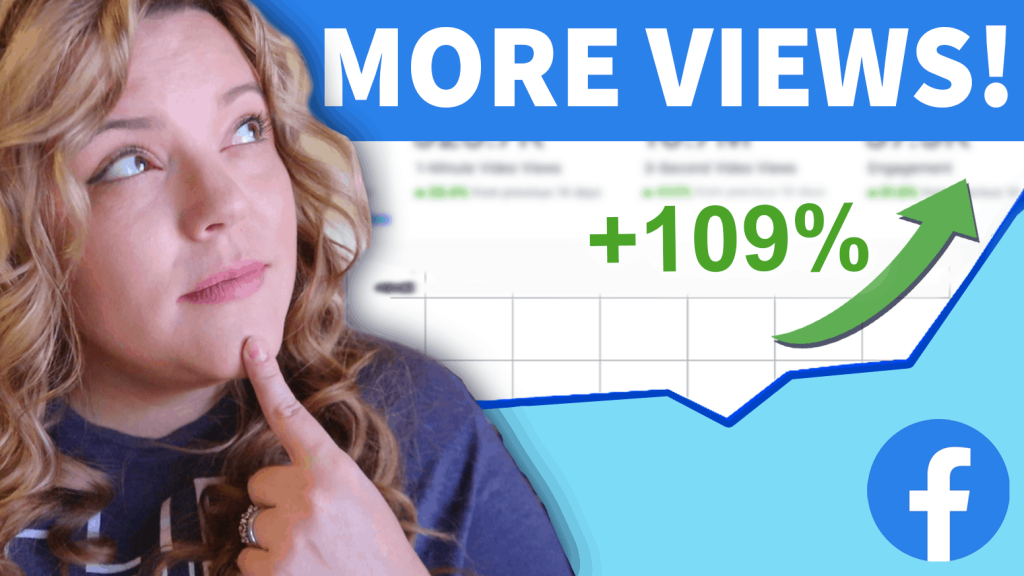
In this blog, we’re going to dive into how you can make better videos for Facebook. And we’re going to really focus on three main things. Formatting, algorithm, and my tips to help you find success. Formatting Now, when it comes to creating videos on Facebook, it’s important to have the right tool, which is why I’ve partnered with Kapwing to put this video together for you. Kapwing is my go-to tool and resource for creating all of my videos that I use for social media, Facebook, Instagram, LinkedIn, all of that. They have a fantastic and vast workspace that allows for me to create so many social specific videos out of my existing content. I’m able to resize video, autogenerate, and embed closed captions into my videos, add images, add text, do the different bars, all kinds of stuff. Kapwing just makes it super easy and super quick, and my favorite part about this tool, it’s free. So, when it comes to formatting, we’re going be talking about two things. How long should your video be? And what size should your video be? How long should your video be? I get asked this question all the time when it comes to anything really related to creating video content. And my answer to you when it comes to Facebook specifically is, it’s as long as it needs to be, but not one second longer than it needs to be. 59% of video consumers will stop watching your video or scroll past it if they think that it’s too long or has too much extra unnecessary pieces of information. So you really gotta get to the point no matter how long your video is going to be for Facebook. So, when it comes to length, I want you to focus on two different kinds of length of video. Long binge worthy content and short thumb scrolling content. When it comes to binge worthy content, these are going to be longer videos that are over three minutes, probably somewhere in the vicinity of like three to seven minutes that people are going to keep expecting from you. It’s where you’re going to be showing up on a regular basis. Maybe it’s a series or something that you’re doing on a continuous basis. Some of my favorite creators that do this is the Holderness family, or a scary mommy, or even people like Kristina Kuzmic, who are creating really great engaging content on the regular, and consistently to engage with you. By creating that longer content, you’re also going to have the added bonus of qualifying for Facebook ad revenue. When you hit a thousand likes on your Facebook page, as well as you hit a certain milestone of watch time, over ten thousand minutes of watch time, you can start earning money on your Facebook page just like you do with ad sets, so when you create binge worthy content that is engaging and long lasting on the platform, Facebook will ultimately reward you for that. The second piece of video content I want you to focus on are the videos that are shorter in length. These are going to be the videos I’m going to encourage small business owners to really focus on. They’re quick, they’re easy, and they’re to the point. In fact, Facebook recommends that small businesses create videos that are 15 seconds or less. But the most important piece of content being in the first three seconds of the video. They want you to get to the point, get in and get out, ’cause again, I call this thumb scrolling content. This is stuff that can be easily consumed in a thumb scroll. Now, the kind of videos that you’re gonna want to create for something like this are going to be teasers for other bigger things that you have going on, but also text based videos as well where you have like text on the screen and video animations or photos in the background, or informative videos as well, which of course you can see on the screen some examples of what I’m talking about. I think the most important thing for you to remember when it comes to creating your videos, the most important thing is not to have information or video or clips that don’t serve a purpose. Get in, get out as quickly as possible and don’t waste people’s time. All right, now let’s talk about the size of your video. Now, over 500 million people are watching videos daily on Facebook, but 65% of them are watching them on mobile, so what’s the right size that you should that you should be using for the videos that you’re trying to create to have the best success for you in that watch time on Facebook. Formatting So, this comes back to us wanting to focus on two different things. We’re going to focus on, again, the binge worthy content and that short content. If you’re creating long episodic content, you want to be using that horizontal format. You’re going to be creating your videos with the dimensions of 1280 x 720. This is pretty standard across the board for most platforms. LinkedIn, YouTube, and Facebook all use this as their standard. And the reason they do that is because it’s the average size of your computer screen or a TV screen. So, when it comes to the size of your short form videos, you’re going to want to think, how much of that phone screen can I take up? The best thing that you can do is create square or slightly bigger videos that are at a 5 x 4 aspect ratio. This is going to be really important for grabbing their attention because it’s taking up so much of their phone. This is especially going to be helpful if you’re doing what I suggested to you when we talked about how long your videos should be about using that first three
SHARING MY YOUTUBE SECRETS: Small Hacks You Can Make For Better Performing Videos
Sharing my Youtube secrets from my years of experience on how I make my Youtube videos perform better not just in the algorithm, but also for my brand. You won’t find most of these Youtube secrets with BIG Youtubers, so you are definitely going to want to watch until the end.